Build a Car to Go Far Controls
Drive inputs, boost timing, and garage placement tools without fighting the UI.
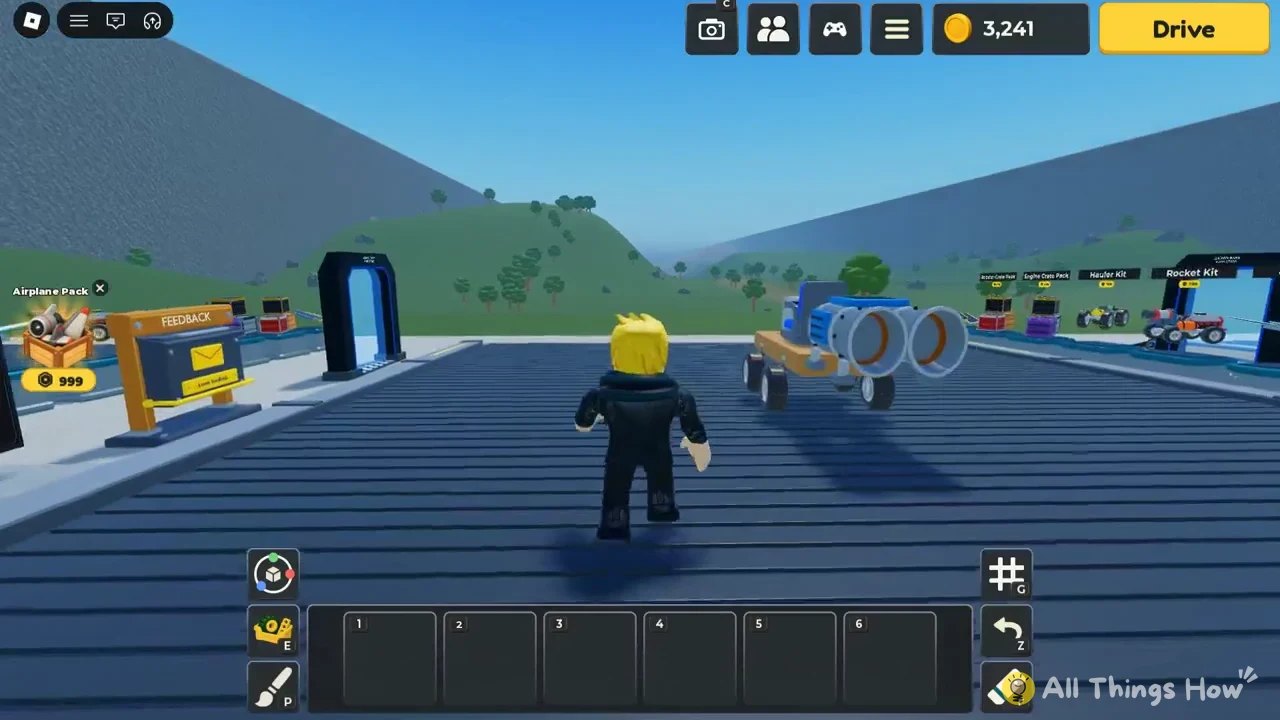
Clean controls turn a decent car into consistent studs in Build a Car to Go Far. This page covers PC driving, garage editing, camera habits, mobile tips, and common input mistakes. Pair it with Getting Started for the day-one loop and How to Build for mount rules.
PC driving controls
While seated in a launched vehicle:
| Input | Action |
|---|---|
| A / D | Steer left / right |
| W or Space | Gas / throttle |
| S or Ctrl | Brake |
| Shift | Boost (uses boost resource) |
| E | Exit the car |
Those binds match the on-screen prompt during runs. If something feels wrong, open Roblox experience settings and confirm nothing remapped movement or jump before you rebuild the whole car.
Driving habits that save distance
- Center the camera behind the car before full throttle so you see lean early.
- Steer in small taps once crate engines or rockets raise thrust — big holds overcorrect and scrub speed.
- Brake before sharp terrain changes instead of boosting into a wall.
- Boost after you have forward speed. Shift from a dead stop on a light rear-rocket kart often loft the nose.
- Watch fuel and boost gauges the whole run. Coasting with empty fuel still earns studs until you stop, but planning a smooth line beats panic weaving.
- Finish the route. Exiting with E mid-run or crashing for clips costs coins you need for the next crate.
When the flight update parts are on your build, the same gentle inputs matter more: propellers and jets punish twitch pitching. Flight-specific notes live on Plane and Jet.
Starting a run from the pad
- Stand on or near your finished vehicle on the build pad.
- Press the yellow Drive control (typically top-right).
- Wait for the Starting… state as the car drops onto the track ramp.
- Apply light gas, correct with A/D, then add boost in short bursts.
After the run, the results card shows distance, best, coins earned, and the next zone teaser — often Redstone Canyon at 3,590 studs (Alloy) with River locked near 9,300 studs. Use Drive again only after you decide whether the build needs a garage fix.
Garage and build UI (PC)
Building uses a different skill set than driving:
| Control / tool | Purpose |
|---|---|
| Number keys | Equip hotbar parts and tools |
| Left mouse button | Place the selected part when valid |
| Delete tool | Remove the yellow-selected piece |
| RGB move arrows | Nudge on X/Y/Z |
| Rotate rings | Change orientation |
| 90° snap | Align wheels, tanks, and wings cleanly |
Placement workflow
- Equip the part with a number key.
- Rotate to the needed facing (tires almost always need a 90° turn so the tread faces out).
- Aim at a valid surface — for tires, the side of a frame piece, not the top.
- Click to place, then micro-adjust with gizmos if the car sits uneven.
- Select mistakes until they highlight yellow and delete them instead of burying errors under more wood.
Structure spam is cheap (Wood Block 10, Short Beam 8, Long Beam 20, Wood Plank 22, Long Plank 60, Reinforced 140) but every block is weight. Place with intent. Full part logic is on How to Build.
Mobile and touch tips
On phones and tablets:
- Use the on-screen steer and throttle controls; keep thumbs low so you do not cover speed or fuel readouts.
- Zoom the camera out slightly before launch so terrain reads earlier.
- Prefer shorter boost taps — touch drag often holds Shift-equivalent too long.
- In the garage, place large pieces first (reinforced plank, platform), then snap wheels with rotation helpers. If precision hurts, rebuild complex cars on PC and use mobile for farm runs.
- Co-op still works in 10-player servers; assign one player as the dedicated builder if touch editing is slow.
Camera, UI, and quality-of-life
- Lock focus on the vehicle during high-speed sections so you notice wheel lift before a flip.
- After each test, read the results card before shopping — distance and coin numbers tell you if fuel or engine was the limiter.
- Redeem Codes from the garage area when you need a coin bump, then return to controlled test drives instead of impulse-buying Rally tires.
- Check Updates after patches; new flight binds or UI prompts sometimes appear with aircraft crates.
Controls troubleshooting
| Problem | Likely cause | What to try |
|---|---|---|
| Car will not steer | Not seated / run not started | Press Drive, confirm you are in the seat |
| Boost does nothing | Empty boost or no rocket | Refit Sport Rocket; wait for refill between runs |
| Placement never snaps | Wrong face or rotation | 90° snap; aim at frame side for tires |
| Car pulls one way | Off-center thrust | Center rocket; mirror wheels |
| Feels “slippery” after crate | Sudden power spike | Smaller steer inputs; see Max Distance |
Practice drills (10 minutes)
- No-boost lap — drive the wooden car with only W/Space and A/D to learn brake points.
- Boost timing — same route, add Shift only after 1–2 seconds of roll.
- Garage remount — delete and replace all four Road Tires using side mounts only.
- Symmetry check — orbit the pad and fix any lean before the next Drive.
Master these inputs, then spend coins using the priority in Fast Coins and the rankings on the Tier List Hub / Engines. Good hands make mid-tier parts outperform a messy Tuned crate build.
Frequently Asked Questions
Quick answers about builds, codes, and Parts Shop prices.
What are the PC drive controls?
A/D steer, W or Space for gas, S or Ctrl to brake, Shift to boost, and E to exit. Confirm Roblox settings if a bind feels wrong.
How do I place parts in the garage?
Use number keys to equip, rotate with rings (90° snap for wheels), left-click to place, RGB arrows to nudge, and the delete tool on yellow-selected mistakes.
Why does boost flip my car?
Boosting from a standstill on a light rear-rocket build lifts the nose. Roll first, tap Shift, and keep the rocket rear-centered.
Can I play well on mobile?
Yes for farming runs. Use short boost taps, keep the camera zoomed out, and consider building complex frames on PC if touch placement is awkward.
Where do I learn what to buy after controls feel good?
Follow Getting Started and How to Build for the wooden car, Fast Coins for income, and the Engines tier list for crate priority.