How to Redeem Build a Car to Go Far Codes
Exact UI steps, reward tips, and what to buy first after Confirm.
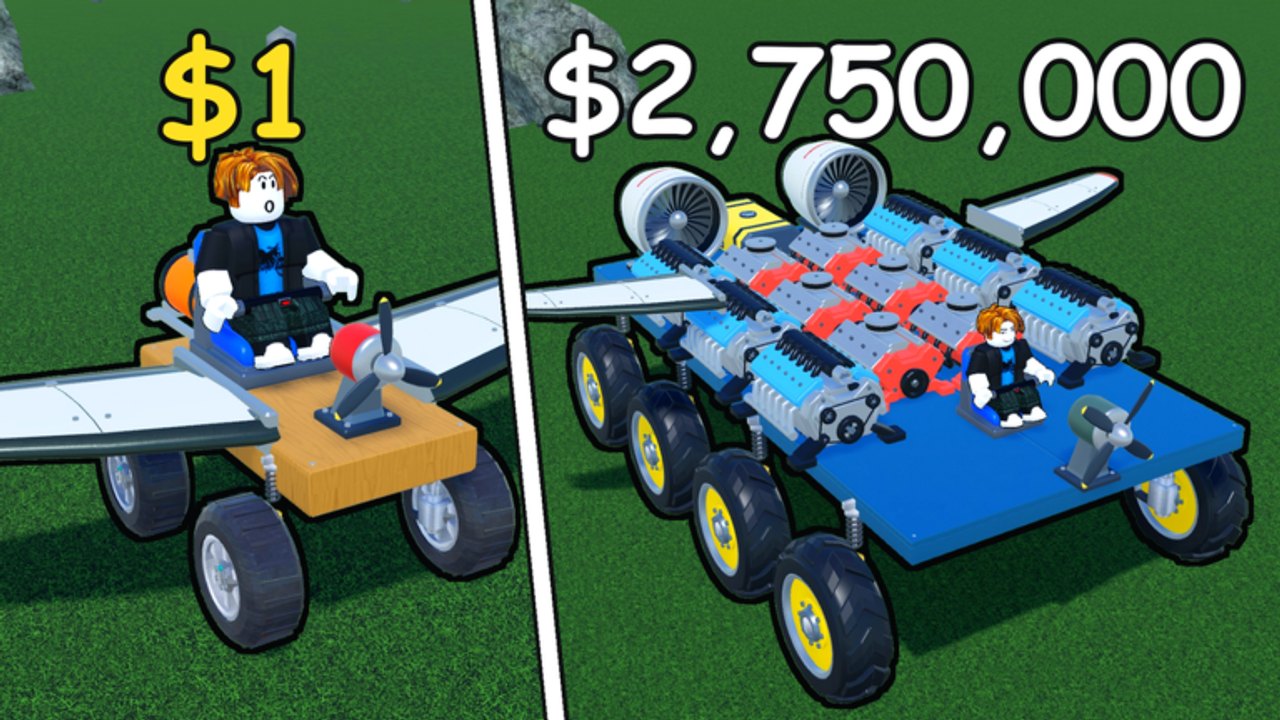
Redeeming codes in Build a Car to Go Far takes under a minute once you know where the panel lives. This guide walks through the full flow—from joining a server to spending the payout—so you never lose a free-coin gift to a mistype or a wrong menu. Pair it with the live list on the Codes Hub and the early build checklist in Getting Started.
Before you start
Confirm a few basics so the Codes button appears and rewards save correctly:
- Use a Roblox account that can join experiences (not restricted by parental controls that block free gifts).
- Open Build a Car to Go Far by Runworks—place ID
94998162120172, universe10765718479. - Wait until the garage / hub UI finishes loading. Redeeming during a half-loaded session sometimes fails silently.
- Have the code ready in uppercase as listed on the Codes Hub (
RELEASE,JET,GOFARas of November 2026 reports). - Prefer a stable connection. Dropping mid-Confirm can leave you unsure whether the gift landed.
Servers support up to 10 players with co-op build and ride. You can redeem while friends wrench on the pad; codes are per account, not per server.
Step-by-step redemption
1. Join the experience
Launch from the Roblox game page or your continue list. Land on the garage build pad. You do not need a finished car to redeem—codes are account rewards, not chassis-bound.
2. Find the Codes button (left side)
On the left side of the screen, open the Codes button. It sits with other hub controls rather than inside the parts shop tabs (Engines, Structure, Wheels, Fuel, Utility). If you only see shop tabs, look left again or briefly toggle the main menu; some UI scales hide the button until the HUD settles.
3. Enter the code exactly
Type or paste the string with no spaces before or after. Community-active codes reported in November 2026:
RELEASE— free coinsJET— free coinsGOFAR— free coins
Expired example you should not expect to work: CARBUILDER. Always re-check the Codes Hub before grinding retries.
4. Press Confirm
Hit Confirm once. Wait for a success popup or coin counter bump. Spamming Confirm does not help and can make error text harder to read.
5. Verify the reward
Check your coin balance and any inventory toast. If nothing changed, read the error: invalid, expired, or already redeemed are the usual cases. Then leave the panel and continue building.
After you redeem: what to spend on
Free coins matter most in the first hour because the loop is build → drive distance in studs → earn coins → buy parts/crates → go farther. Offline engine earnings help while you are away, but a fresh promo is best spent on parts that raise studs per run.
Starter wooden car (~615 coins)
A reliable first kit costs about 615 coins:
| Part | Tab | Cost |
|---|---|---|
| Reinforced Wood Plank | Structure | 140 |
| Road Tire x4 | Wheels | 75 each |
| Small Fuel Tank | Fuel | 175 |
If one code nearly covers this kit, buy it immediately, launch, and learn the track. Push toward Redstone Canyon near 3590 studs. The River zone stays locked until roughly 9300 studs—you will need better engines and sustained runs, not a single gift, to open it.
Spend order after the starter kit
- Structure upgrades that keep the car intact after jumps and flips.
- Wheels with better grip before flashy cosmetics.
- Fuel capacity so long canyon runs do not die early.
- Engines (crates) once the chassis is stable—crate RNG is exciting but wastes coins if you still stall for fuel.
- Utility parts (flip assists and helpers) when failed runs cost more time than the part price.
Cross-check priorities with the Tier List Hub and longer earning routes on Fast Coins.
Stack with daily rewards
Codes and dailies multiply each other. Typical daily track:
| Day | Reward |
|---|---|
| 1 | 1000 coins |
| 2 | Sport Rocket Legendary |
| 3 | 5000 coins |
| 4 | V6 Rare |
| 5 | 15000 coins |
| 6 | 40000 coins |
| 7 | Compact V8 Legendary |
Claim the daily, redeem an active code, then shop once so you are not bouncing between menus. Legendary and Rare engines from dailies often outclass random early crate pulls—do not sell or scrap them casually.
Troubleshooting
Codes button missing. Finish loading, try fullscreen or windowed mode, or rejoin. On some mobile layouts the left cluster is tighter; scroll or expand the HUD if your device supports it. Community notes often call the experience mobile-friendly, but button hitboxes still vary by screen size.
Invalid code. Check spelling and the expired list. CARBUILDER is done. New event codes may be case-sensitive—match the hub listing.
Already redeemed. That account already took the gift. Switch accounts only if you intentionally play alts; otherwise move on.
No popup but coins rose. Trust the balance. Close and reopen the shop to refresh prices.
Popup then no coins. Rejoin once. If still missing, avoid buying Robux to “fix” it—wait for Roblox economy sync or try another server.
Wrong game. Codes for other car games will not work here. Stay in Runworks’ Build a Car to Go Far.
Co-op and multi-account tips
In a full 10-player server, redeem before a shared long drive so everyone starts with upgraded parts. Call out which codes you already used so teammates do not waste time on duplicates. Do not share account passwords to “redeem for a friend”—each player should claim on their own login.
If you use multiple accounts for offline engine earnings, redeem on each account separately, then park engines that tick coins while you play the main save. Keep spending disciplined: alts still need the ~615 wooden baseline before fancy crates.
Safety and fair play
Only use the official in-game Codes UI. Never type codes into third-party websites that ask for your password or Roblox cookie. Promo strings are public; your account credentials are not. Scripts that auto-buy parts are a different topic—see the Scripts Hub and read the risk disclaimer before using any executor.
Keep codes working for you
Bookmark the Codes Hub and revisit after updates (flight/jet patches often ship with new strings). When a code expires, stop retrying and shift effort to Fast Coins routes, daily claims, and smarter builds from Getting Started plus the Tier List Hub.
Redeem often, spend with a plan, and turn every free coin into studs on the odometer.
Frequently Asked Questions
Quick answers about builds, codes, and Parts Shop prices.
Where is the Codes button in Build a Car to Go Far?
On the left side of the screen in the main HUD. Open it, enter the code, and press Confirm. It is separate from the Engines, Structure, Wheels, Fuel, and Utility shop tabs.
Do I need a built car before redeeming?
No. Codes credit your account. You can redeem on the garage pad before placing a single plank.
What is the best first purchase after redeeming?
A basic wooden car around 615 coins: Reinforced Wood Plank, four Road Tires, and a Small Fuel Tank, then push toward Redstone Canyon (~3590 studs).
Can my whole server share one code redeem?
No. Each Roblox account redeems separately even in the same 10-player co-op server.
RELEASE, JET, or GOFAR failed—what now?
Confirm spelling, check whether you already redeemed, and review the Codes Hub for expiry. CARBUILDER is expired; others may rotate out after November 2026.
Should I buy engine crates or fuel first?
Stabilize structure, wheels, and fuel so runs finish. Open engine crates after the car can complete longer stud attempts without stalling.