Build a Car to Go Far Codes
Active and expired promo codes, redeem steps, and smart ways to spend free coins.
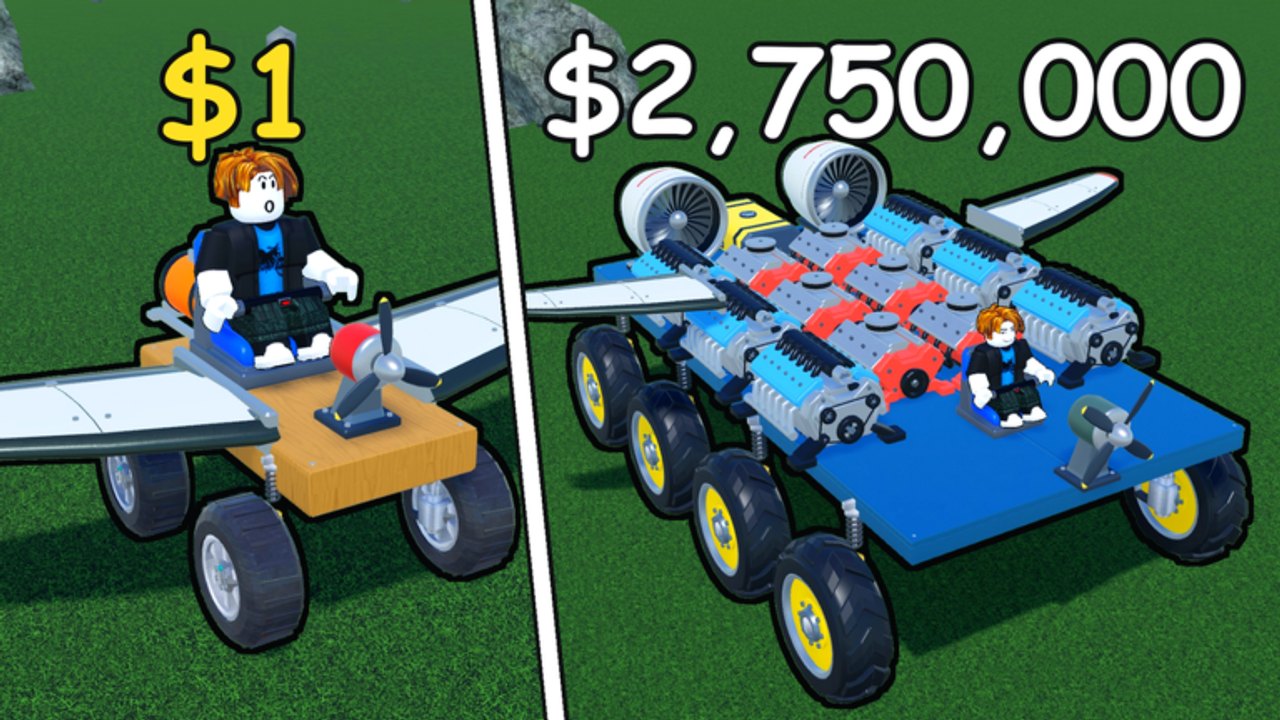
Promo codes are the fastest free coin boost in Build a Car to Go Far by Runworks. Redeem them early, then turn the payout into structure, wheels, fuel, and engine crates so your first long drive clears more studs. This hub lists codes reported active as of November 2026, marks expired gifts, summarizes how to redeem, and points you to the full walkthrough on how to redeem codes. Always double-check in-game before you plan a build around a gift—codes can expire without a big patch note.
Active codes (November 2026)
Community reports list these gifts as working. Rewards are free coins unless the in-game popup says otherwise. Enter each code once per account.
| Code | Reward | Status | Notes |
|---|---|---|---|
RELEASE | Free coins | Active (reported) | Launch-era gift; still widely used |
JET | Free coins | Active (reported) | Ties to the jet / propeller flight push |
GOFAR | Free coins | Active (reported) | Distance-themed promo; claim ASAP |
If a code fails with an invalid or already redeemed message, skip it and move on. Do not spam Confirm—one clean attempt is enough. For the exact UI path, read the how to redeem guide.
Expired codes
Keep this short list so you do not waste time retrying dead gifts.
| Code | Status | Notes |
|---|---|---|
CARBUILDER | Expired | Older builder promo; no longer grants coins |
Expired codes stay on this page as a reference only. When Runworks drops a new string, add it to the active table above and move dead ones here.
How to redeem (summary)
- Join Build a Car to Go Far on Roblox (place
94998162120172). - Look for the Codes button on the left side of the screen.
- Open the panel, type the code exactly (usually uppercase).
- Press Confirm and wait for the reward popup.
- Spend coins in the garage: Engines (crates), Structure, Wheels, Fuel, or Utility.
Full screenshots-style detail, troubleshooting, and spend order live on How to Redeem Codes. New players should also skim Getting Started before dumping every coin into a random crate.
What codes are for in this game
The core loop is simple: garage build → drive for distance (studs) → earn coins → buy parts and crates → go farther. Codes shortcut the early coin wall so you can leave the wooden starter behind faster. Offline coin earnings from engines help when you are away, but a fresh promo still buys the next tire set or fuel tank immediately.
A practical first wooden car costs about 615 coins: Reinforced Wood Plank (140) + four Road Tires (75 each) + Small Fuel Tank (175). If a code covers most of that kit, assemble it, launch, and push toward Redstone Canyon around 3590 studs. The River zone locks until about 9300 studs—code money alone will not unlock it, but better parts make the distance grind shorter.
Servers hold up to 10 players. Co-op build and ride means friends can share a chassis while you bank code coins into shared progress. Do not assume every teammate already redeemed the same gifts; each account claims separately.
Smart spending after you redeem
Prioritize parts that raise distance per run, not vanity. Typical early order:
- Structure — Reinforced Wood Plank and basic frames so the car survives bumps.
- Wheels — Road Tires before exotic wheels; grip beats looks on day one.
- Fuel — Small Fuel Tank so you do not stall mid-canyon.
- Engines / crates — open crates when the basic kit is stable; chase Rare and Legendary engines after daily rewards stack.
- Utility — flip helpers and quality-of-life parts once you can finish runs consistently.
Daily login rewards stack with codes: Day 1 gives 1000 coins, Day 2 a Sport Rocket Legendary, Day 3 5000, Day 4 a V6 Rare, Day 5 15000, Day 6 40000, and Day 7 a Compact V8 Legendary. Pair a promo redeem with a daily claim when you can so one garage session upgrades both engine and chassis.
For ranking which engines and parts to chase next, use the Tier List Hub. For longer coin routes beyond gifts, see Fast Coins. Beginners who still feel lost after redeeming should return to Getting Started.
Verification and update policy
Codes on this wiki are community-reported. We note the month (November 2026) so you know the snapshot age. Before you buy Robux or rearrange a build around a gift:
- Redeem in a live server and confirm the popup.
- Check whether the string was already used on that account.
- Watch for spelling—
GOFARis one word; spaces usually fail. - If Roblox is under maintenance or the Codes UI is missing, wait and retry later.
When a code dies, move it to the expired table and refresh this hub. When a new drop appears (events, flight updates, milestones), add a row with reward and status. Bookmark this page and the redeem guide so you are ready for the next wave.
Related pages
- How to Redeem Codes — full step-by-step UI walkthrough
- Getting Started — first-hour garage and drive loop
- Fast Coins — earn beyond promos and dailies
- Tier List Hub — which parts and engines are worth the spend
Frequently Asked Questions
Quick answers about builds, codes, and Parts Shop prices.
What Build a Car to Go Far codes work right now?
As of November 2026, community reports list RELEASE, JET, and GOFAR as active free-coin codes. Always verify in-game; CARBUILDER is expired.
How do I redeem a code?
Open the Codes button on the left side of the screen, type the code, and press Confirm. Full steps are on the how-to-redeem page.
Do codes work on every account?
Each Roblox account usually redeems a code once. Alt accounts redeem separately; already-used codes show an error.
What should I buy with code coins first?
Build a basic wooden car (~615 coins: Reinforced Wood Plank, four Road Tires, Small Fuel Tank), then invest in engines and crates for longer stud runs.
Why did my code fail?
It may be expired, mistyped, already redeemed, or temporarily broken. Try once more carefully, then check the expired list on this hub.